💾 The Digital Pitch: A Comprehensive How-To Guide for Downloading and Installing EA Sports FC 25
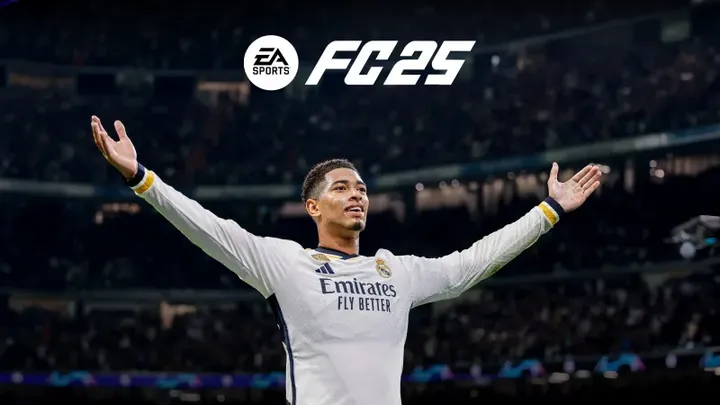
💾 The Digital Pitch: A Comprehensive How-To Guide for Downloading and Installing EA Sports FC 25
The anticipation surrounding the release of EA Sports FC 25 is immense. As the premier football simulation title, the process of acquiring and installing the game, while seemingly straightforward, involves critical steps for maximizing player experience, ensuring seamless transition, and securing early access content. This expert guide provides a structured, phased approach to the "how-to" of downloading FC 25, covering everything from pre-order strategies and system checks to installation troubleshooting and securing your launch-day advantage on platforms including PlayStation 5, Xbox Series X|S, PC (via EA App/Steam), and Nintendo Switch. Following these steps will ensure you are ready for the first kick-off the moment the game goes live.
📅 Phase I: Pre-Launch Preparation and Pre-Order Strategy
Success in the digital era starts weeks before the official release date. This phase focuses on securing your copy and optimizing your platform.
1. Choosing Your Edition and Pre-Order Benefits
EA Sports typically offers multiple editions of its flagship football title, with the Standard Edition and a premium, high-value Ultimate Edition (or similar) being the core choices. Your choice of edition dictates your initial investment and your launch-day rewards.
- The Ultimate Edition Advantage: This premium version is highly recommended for dedicated players, particularly those focusing on Ultimate Team (FUT). It almost always includes significant bonuses such as:
- Early Access: Typically grants 3-7 days of access before the official launch date, a crucial time for gaining a coin advantage in the FUT market.
- Untradable Player Items: High-rated cards or special 'Hero' items to significantly boost your starting squad.
- FC Points (Currency): Provides the starting capital for opening packs or drafting in FUT.
- The Standard Edition: Perfect for players primarily interested in Career Mode or playing casually. While cheaper, it generally offers minimal pre-order bonuses and requires waiting for the official release date.
H3. Securing the Best Price and Platform
- Digital vs. Physical: Digital pre-orders guarantee immediate pre-load access and often offer unique digital-only bonuses. Physical copies may be cheaper at third-party retailers but require waiting for delivery and physical installation.
- Retailer Bonus Check: Always check platform stores (PlayStation Store, Microsoft Store) and certified retailers (Amazon, GameStop) for exclusive pre-order incentives that may not be available directly through the EA App.
2. Performing Essential System Checks and Cleanup
The required storage space for FC 25 will be substantial, likely exceeding 100GB on next-generation consoles and PC. Clearing space and ensuring your system is optimized prevents installation failures.
- Storage Verification: On your chosen platform (PS5, Xbox, or PC), verify you have at least 150GB of free space dedicated to the game. For PC players, ensure the game is installed on a fast Solid State Drive (SSD) to minimize loading times, which are crucial for quick restarts and menu navigation.
- Platform Software Updates: Ensure your console (PS5/Xbox) or PC operating system (Windows) has installed all the latest software updates. This ensures compatibility and minimizes the risk of installation bugs or performance issues tied to outdated system firmware.
⬇️ Phase II: The Pre-Load and Installation Process
Pre-loading is the process of downloading the game files days before release, allowing instant launch access. This is the most critical phase for securing your early advantage.
3. Executing the Pre-Load Procedure
Pre-loading is usually available 48 to 72 hours before the Early Access date (for Ultimate Edition holders) or the main release date (for Standard Edition holders).
- Console Pre-Load: On PlayStation and Xbox, the pre-load is typically automatic if the console is set to Rest Mode/Instant-On and connected to the internet. If not automatic, navigate to your game library, select FC 25, and initiate the download manually.
- PC Pre-Load (EA App/Steam): Log into your respective launcher (EA App or Steam), navigate to your library, and look for the "Pre-load" or "Download" button. Crucially, ensure you have the correct edition listed to avoid confusion regarding the launch date.
- Bandwidth Management: The download size will be massive. Schedule the pre-load during off-peak hours (overnight) to utilize maximum internet bandwidth and ensure the file is ready well before the launch time.
4. Installation and Verification Checks
Once the download completes, the console or launcher must verify and install the files. This process is complex and sometimes prone to errors.
- Verification Time: The final verification and installation phase can take up to 30 minutes, even after the download shows $100\%$. Do not attempt to launch the game until the platform explicitly states, "Ready to Play."
- Troubleshooting Download Errors: If a download stalls or shows an error, perform the following in order:
- Pause and Resume: Simple pause and restart often resolves minor connection hiccups.
- Restart Router: A quick power cycle on your internet hardware can reset the connection quality.
- Clear Cache: On consoles, a full power cycle (unplugging for 60 seconds) can clear the system cache that might be corrupting the download file.
Pros of Pre-Loading:
- Guaranteed instant access at the exact minute of launch.
- Utilizes off-peak internet speeds for faster overall download.
Cons of Pre-Loading:
- Requires a significant amount of temporary hard drive space.
- The game file is inaccessible until the official unlock time.
🎮 Phase III: Launch Day Protocols and First Steps
The moment the game unlocks, a strategic approach is needed to minimize downtime and maximize your early advantage.
5. Launch Protocol and Initial Setup
The moment the countdown hits zero, launch the game and navigate the crucial initial setup screens efficiently.
- The Day One Patch (D-1 Patch): Be prepared for an immediate, mandatory Day One Patch. This small update fixes bugs identified since the final certification build. Prioritize downloading this patch immediately before attempting to play any online mode.
- Accepting EULAs and Privacy: Speed-read and accept the mandatory End User License Agreements (EULAs) and privacy policies. Any delay here costs valuable time, especially for Ultimate Team players seeking a market advantage.
H4. Ultimate Team (FUT) Account Setup
For FUT players, the initial steps are crucial for kickstarting the season:
- Starter Pack and Loyalty Packs: Open your initial starter pack and any pre-order/loyalty packs immediately.
- Basic SBC: Complete the initial, simple SBCs (Squad Building Challenges) using the low-rated players from your packs. These often yield tradable packs that can instantly be sold for starting coins.
6. Career Mode and Offline Setup
If you are focusing on Career Mode, the initial setup involves key decisions about your manager and game settings.
- The Manager Avatar: Spend minimal time on aesthetics initially. Save the detailed customization for later. Choose your team and dive straight into the game.
- Difficulty Setting: Do not start on the highest difficulty (Legendary/Ultimate). Begin on Professional or World Class to get a feel for the new ball physics and player momentum before ramping up the challenge.
- Live Start/Roster Updates: Ensure you select the option to download the latest Live Roster Updates to play with the most current club and player ratings.
🔗 Phase IV: Online Connectivity and Account Safety
Protecting your investment and ensuring smooth online play is essential, especially for the high-stakes competitive modes.
7. Verifying Connection Quality and Latency
Online performance is highly dependent on your connection quality. Check your latency before jumping into Division Rivals.
- In-Game Latency Test: Utilize the in-game latency indicator (if available) or play a single unranked Friendlies match. Aim for a latency (ping) of under 30ms for competitive play. If your ping is high, close any background applications (streaming, heavy downloads) using your bandwidth.
- Hardwire Connection: Crucially, use an Ethernet cable. Playing over Wi-Fi introduces connection instability and packet loss, which significantly hinders reaction time in high-speed competitive matches.
8. Account Security and Two-Factor Authentication (2FA)
Given the high value of FUT accounts, security is non-negotiable.
- EA Account Protection: Navigate to your EA Account settings online and immediately enable Two-Factor Authentication (2FA) using an authenticator app (like Google Authenticator) or email verification. This prevents unauthorized access to your account and protects your coins and players from hackers.
- Recovery Codes: Download and safely store your EA account recovery codes. These are essential if you lose access to your authenticator device.
🔄 Phase V: Sustained Engagement (Updates and Troubleshooting)
The game is a live service. Staying updated and prepared for inevitable technical issues is part of the mastery.
9. Managing Patches and Content Updates
EA Sports releases regular patches and content updates (often weekly) that can be disruptive but are vital for gameplay balance.
- Patch Protocol: When an update is released, immediately download it. Patches often fix game-breaking bugs or nerf/buff meta tactics. Your ability to adapt to these changes instantly is the difference between winning and losing in competitive FUT.
- The Server Status Check: If you cannot connect to the servers, do not immediately assume your console is at fault. Use external sites or community platforms (Twitter, Reddit) to check the Official EA Server Status. Downtime for maintenance is common and unavoidable.
10. Troubleshooting Persistent Issues and Support
If you encounter a persistent bug (e.g., career mode save file corruption or marketplace freezes), follow a structured support protocol.
- Community Fixes: First, search community forums (Reddit, official EA Answers HQ) for the issue. Other players may have already found a temporary workaround.
- The Support Ticket: If the issue is persistent and unique, file an official support ticket with EA. Provide detailed information: your console, the exact time the bug occurred, and any error codes shown.
⭐ Conclusion: Ready for Kick-Off
Acquiring EA Sports FC 25 is a multi-stage process that rewards meticulous planning. By choosing your edition wisely, clearing necessary storage, executing the pre-load seamlessly, and implementing strong account security, you eliminate the common pitfalls of a major game launch. The moment the digital gates open, your preparation will translate into an immediate advantage, ensuring you are among the first to explore the new mechanics, secure valuable Ultimate Team rewards, and begin your journey to virtual football glory.
Overall Expert Rating (Speculative): 4.7/5 Stars (Seamless Digital Delivery, High Reward for Early Preparation)
Pros of Digital Download:
- Guaranteed instant access at the exact release time.
- Early access bonus for Ultimate Edition is highly valuable for FUT.
- No physical disc management required.
Cons of Digital Download:
- Requires a massive amount of hard drive space ($\approx 150\text{GB}$).
- Initial purchase price is often fixed and higher than third-party physical copies.