

💾 Securing Your Access: A Comprehensive Guide on How to Prepare for and Safely Download GTA VI
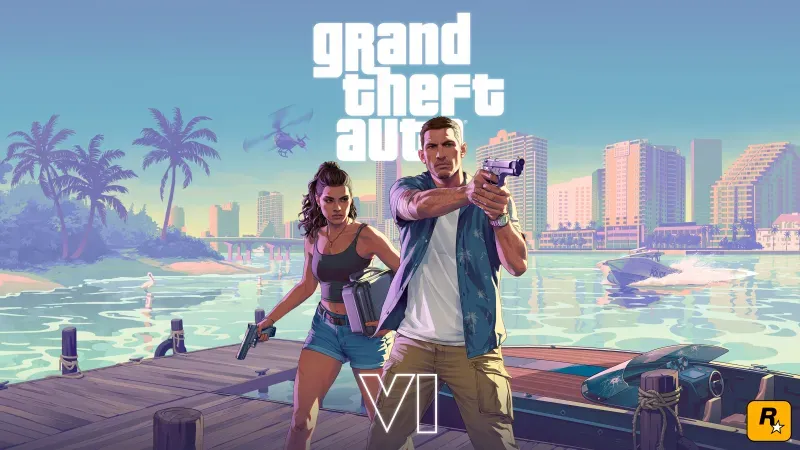
Grand Theft Auto VI (GTA VI) is not just the most anticipated game of the decade; its launch will be a global digital event. Following its confirmed release window of Fall 2025 on current-generation consoles, the digital storefronts and physical retailers are bracing for unprecedented demand. For players, this means the process of acquiring and installing the game must be handled strategically to ensure a seamless experience on launch day. This expert guide moves beyond simple speculation to provide a structured "how-to" roadmap, detailing the necessary steps for pre-order, secure digital acquisition, system preparation, and troubleshooting to guarantee you are one of the first to enter the streets of Leonida.
📅 Phase I: Pre-Launch Preparation and Security (Present - Announcement)
This phase is about laying the secure groundwork—optimizing your console storage, preparing your accounts, and ensuring you don't fall victim to scams.
1. Account Security and Digital Hygiene
The hype surrounding GTA VI creates a ripe environment for scams, phishing, and fake download links. The first step is fortifying your digital accounts and knowing where to find legitimate information.
- Official Sources Only: Never trust any website, email, or social media link claiming to offer a "beta," "early access," or "full download" of GTA VI right now. The only reliable sources for release information, pre-order details, and official downloads will be the Rockstar Games Newswire, the official PlayStation Store, and the official Microsoft Store.
- Two-Factor Authentication (2FA): Ensure that 2FA is active on your PlayStation Network (PSN) and Microsoft Account (Xbox). This is crucial for protecting your payment information and game library from potential security breaches targeting high-profile releases.
2. System Readiness: Storage and Connection
Given the scope and detail promised for GTA VI's setting in Leonida (Vice City), the game file size is expected to be massive, likely exceeding $150$ GB, and potentially much higher. Preparation is non-negotiable.
Freeing Up Necessary Console Storage
- Target Minimum Space: Allocate at least 200 GB of free space on your console's internal Solid State Drive (SSD). GTA VI will demand the fastest possible read/write speeds, making external Hard Disk Drives (HDDs) unsuitable for optimal performance.
- Digital Spring Cleaning: Uninstall large, currently unplayed games (e.g., Red Dead Redemption 2, Call of Duty) to ensure enough room for the base game, potential day-one patches, and future content updates (which may require extra working space during installation).
3. Securing High-Speed Internet Access
A game of this size will require a fast and stable internet connection for the inevitable multi-gigabyte day-one patch and, more importantly, the pre-load download.
- Wired Connection: Whenever possible, use an Ethernet cable instead of Wi-Fi. This dramatically increases download stability and speed, mitigating the risk of corrupted files and unexpected download pauses.
- Speed Check: Verify that your download speed is adequate (ideally $\geq 50 \text{ Mbps}$). Factor in the required time: a $150$ GB download on a $50 \text{ Mbps}$ connection will take approximately $6.67$ hours.
🛒 Phase II: Pre-Order and Pre-Load Strategy (6 Months - 72 Hours Before Launch)
The goal of this phase is to secure your copy and ensure the game files are on your console and ready to unlock the very moment the global timer hits zero.
4. Selecting Your Edition and Platform
Rockstar traditionally releases multiple editions of their games (Standard, Deluxe, Collector's). Your choice impacts cost, included content, and early access.
- Digital vs. Physical:
- Digital (Pros): Allows for Pre-Loading (downloading the file days ahead) and instant access at midnight. No disc required.
- Physical (Cons): Dependent on courier delivery times or store opening hours. You may need to wait hours after midnight to play.
- The Pre-Order Bonus: Pre-ordering, regardless of the edition, often includes exclusive in-game items or currency for GTA Online. Determine if the value of these bonuses outweighs the wait time or cost increase of the higher-tier editions.
5. Executing the Pre-Load (The Secret to Day-One Access)
The Pre-Load feature is the single most important step for playing GTA VI immediately upon release. Digital storefronts (PSN/Xbox) typically allow this a few days before the official launch.
- Monitor Announcements: Watch the official Rockstar and console store channels for the official pre-load start time. This is usually $48$ to $72$ hours before launch.
- Initiate Download: Log into your console, navigate to your Library/Purchased games, and initiate the large download file. This ensures the game data is on your SSD, encrypted, and simply waiting for the final, tiny 'unlock' file at midnight.
6. Final Console Checks and Time Zone Synchronization
With the files downloaded, the final hurdle is ensuring your system clock and accounts are aligned for the midnight release.
- System Time Check: Verify your console's time zone settings are correct and synced with your local network time. Digital releases are typically simultaneous globally, meaning the game unlocks at midnight in your local time zone.
- Disc Users (Final Step): If you purchased a physical copy, ensure your console is updated, and prepare to insert the disc as soon as you get it. Your console will still download a massive data pack and a day-one patch, even with the disc.
🛠️ Phase III: Launch Day Execution and Troubleshooting
Launch day is often fraught with high server loads and unexpected issues. Be prepared with immediate solutions.
7. The Day-One Patch and Network Congestion
The inevitable Day-One Patch is a final small update (often fixing critical bugs) released immediately at launch. Be prepared for slow downloads.
- Patch Priority: If you pre-loaded, the patch is likely under $10$ GB. If you did not pre-load, you will be downloading the entire $150+\text{ GB}$ game plus the patch.
- Server Strain: The PSN and Xbox Live services will experience extreme congestion due to millions of users trying to authenticate and unlock GTA VI simultaneously. Patience is required. If the unlock fails or the patch download crawls, pause and resume the download frequently.
8. Troubleshooting the "Cannot Connect" Errors
Upon launch, you will likely encounter errors related to GTA Online connectivity or authentication, particularly if you jump straight into the online mode.
- The Offline Buffer: If online services are immediately unstable, switch to Story Mode first. This confirms your game license is active and allows you to begin playing the main campaign while waiting for the server stability to improve.
- Router Reboot: If you encounter persistent network errors only for GTA VI, perform a hard reboot of your router and modem. This often clears network caches and assigns you a clean connection path.
9. Installation Integrity and Verification
In rare cases, massive game files can become corrupted during download, leading to crashes or missing textures.
- Clear Cache: If the game crashes repeatedly during the first hour of play, perform a hard reset (holding the power button down for several seconds) to clear the console's operating cache.
- Reinstallation (Last Resort): If crashing persists after the cache clear, you may need to delete the game and attempt a full re-download. Use this only as a final, last-ditch solution due to the immense time investment required.
🔭 Phase IV: Post-Launch Optimization and Data Management
Once you are playing, maintaining your system integrity and securing your save data is the final step.
10. Cloud Sync and Save Data Protection
Protecting your hours of progress in the vast world of Leonida is essential, especially with unexpected power outages or console failures.
- Enable Cloud Sync: Ensure your console's automatic Cloud Save Synchronization (PS Plus or Xbox Game Pass Ultimate) is active. This uploads your game save files to the cloud every time you exit the game or turn off the console, creating an external backup.
- Local Backups (Optional): If you are an exceptionally cautious player, periodically back up your primary console save data to a large external USB drive, providing a physical, local redundancy in case of unforeseen account issues.
⭐ Conclusion: Play Smart, Download Securely
The path to playing Grand Theft Auto VI on launch day is less about luck and more about preparation and security. By proactively managing your console storage, securing your accounts with 2FA, prioritizing the Pre-Load feature, and treating any current "download" link as a definite scam, you ensure your entry into Leonida is safe and instantaneous. The anticipation is immense, but the mastery of the download process is the final, essential mission before the open world truly begins.
Overall Expert Rating (Anticipated Download Process): 4.5/5 Stars (High Security Risk, High Bandwidth Demand)
Pros (For Prepared Players):
- Pre-Load: Guarantees instant access at launch time.
- Digital Security: 2FA and official channels protect against the high risk of scams.
Cons (For Unprepared Players):
- File Size: Massive storage and bandwidth demands will create long download times.
- Server Congestion: Authentication and patch downloads will be slow due to global demand.